> For the complete documentation index, see [llms.txt](https://helpdocs.ycloud.com/help-center/llms.txt). Markdown versions of documentation pages are available by appending `.md` to page URLs; this page is available as [Markdown](https://helpdocs.ycloud.com/help-center/zh/inbox/inbox-calling.md).
# Inbox中发起语音通话
为了能帮助企业更好得跟客户进行沟通,Inbox中已经集成了WhatsApp语音通话的能力。
如何开启WhatsApp的语音通话请看:
{% content-ref url="/pages/OT4GTFgITZuUUf3DGAfX" %}
[WhatsApp Calling 简介](/help-center/zh/calling/overview.md)
{% endcontent-ref %}
本文重点介绍在Inbox中如何跟用户进行语音通话
## 一、 邀请客户呼入
当我们在跟客户对话过程中,通过文本的形式沟通比较困难,可以邀请客户跟您发起语音通话。快速语音解决。
呼入类的通话费用免费。
### 1. 发送邀请消息
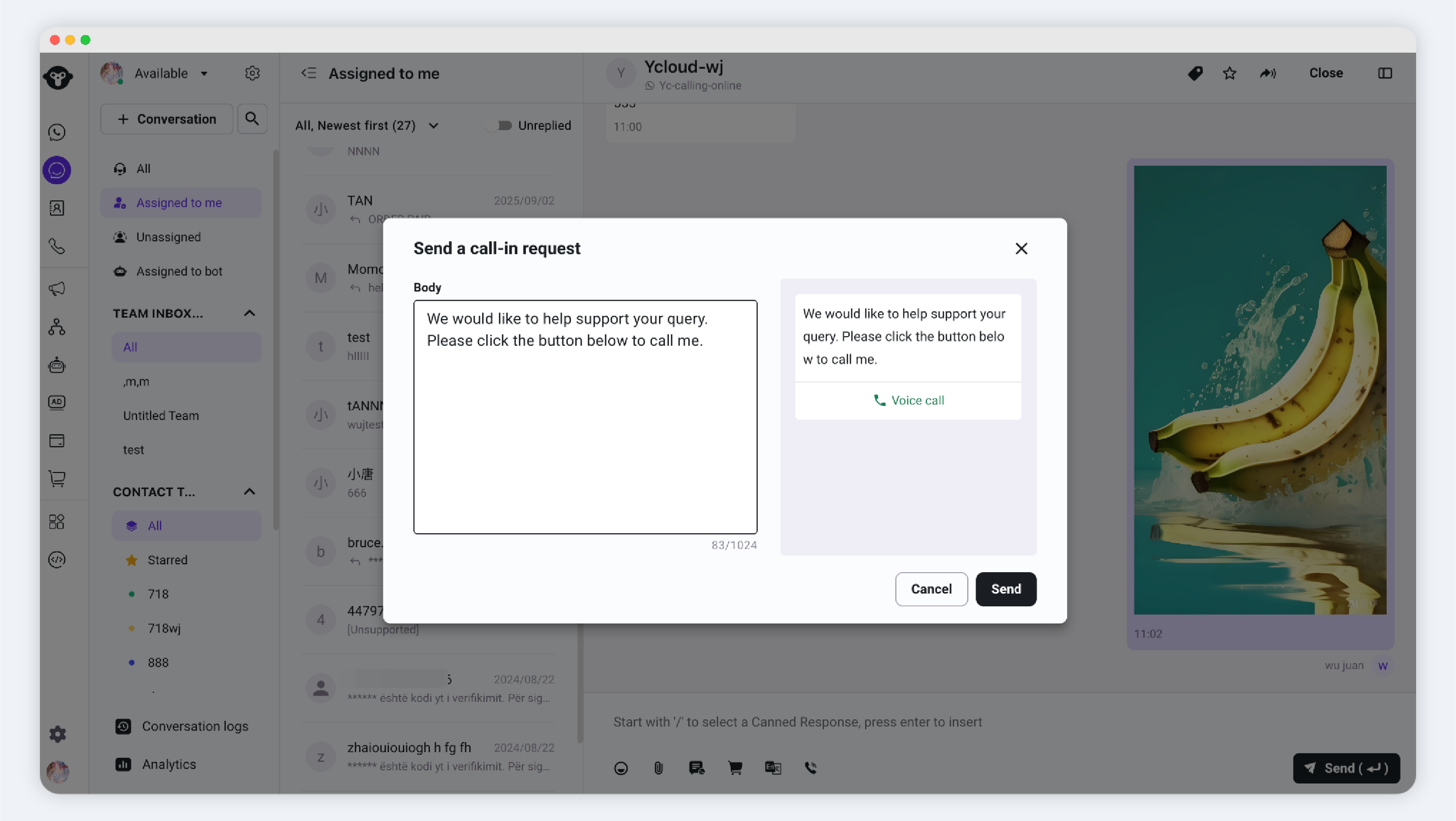
邀请入口: 点击 WhatsApp Calling > 邀请用户呼入
输入请求通话的原因,确认无误后点击发送
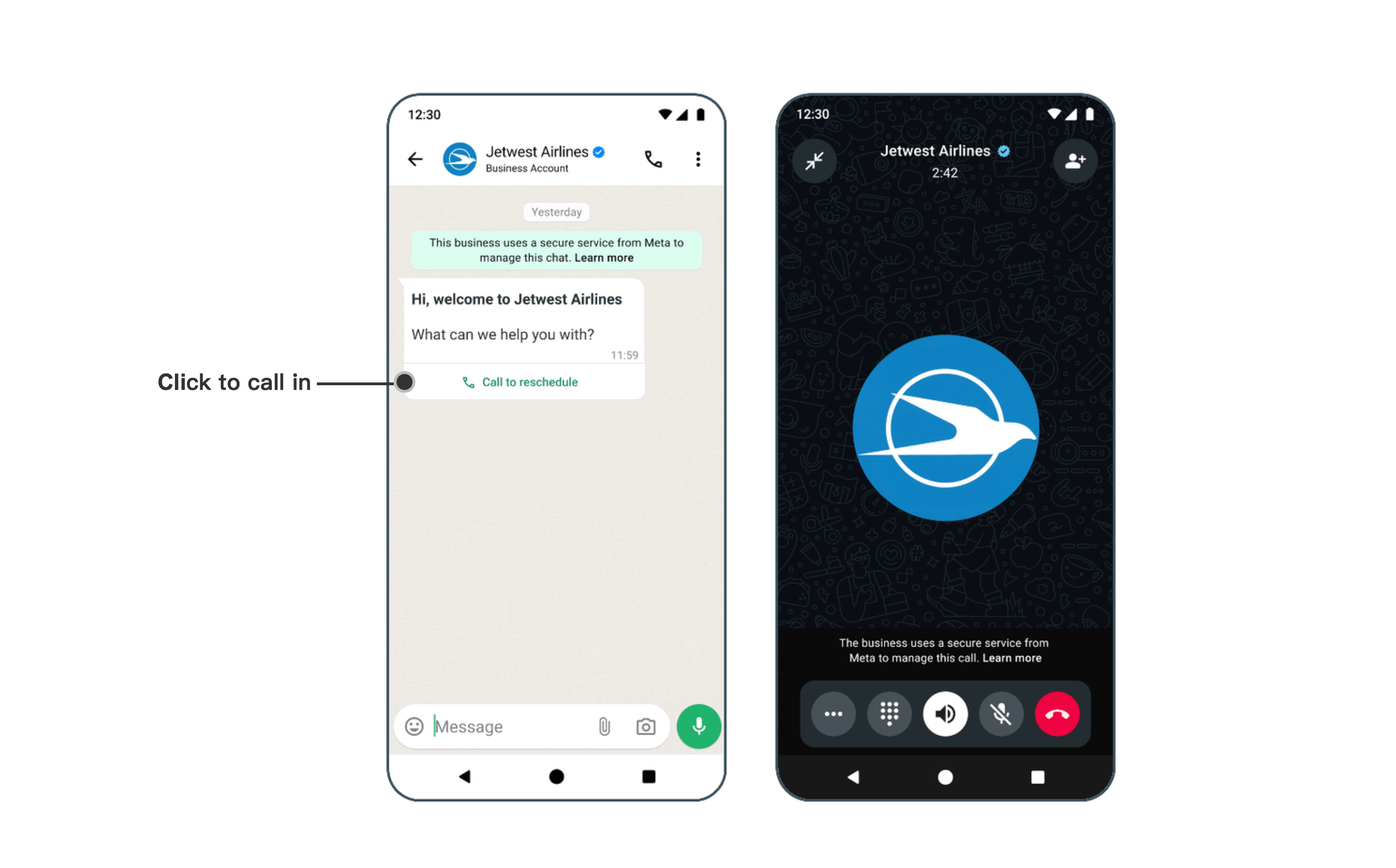
发送后客户手机上会收到一条类似下图的邀请呼入的消息,客户点击呼入按钮即可发起呼入。
### 2. 接听客户呼入消息
当客户通过你发送的邀请链接发起语音通话,您将在Inbox平台上看到提醒,点击 接听键 开始接听。
##
## 二、主动发起外呼
在发起外呼前,您需要有使用该商业号码进行外呼的权限。[参考文档](https://helpdocs.ycloud.com/help-center/zh/calling/overview#pei-zhi-wai-hu-quan-xian)
{% hint style="warning" %}
语音外呼是收费的。价格请查看:
{% endhint %}
### 1. 获得授权
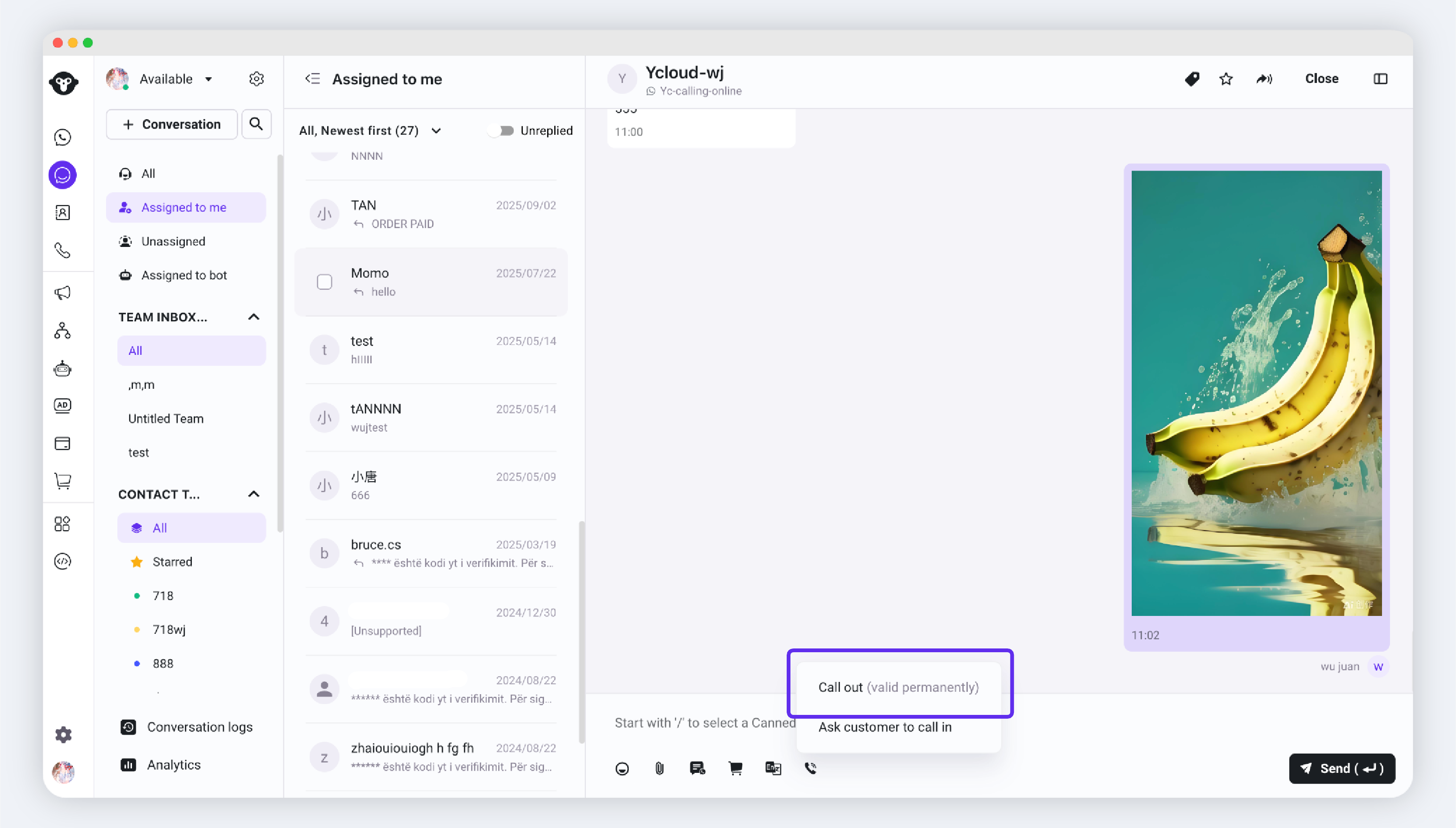
发起入口:WhatsApp Calling > 发起语音通话
YCloud会引导你先发送一条外呼请求消息。
### 2.获得授权
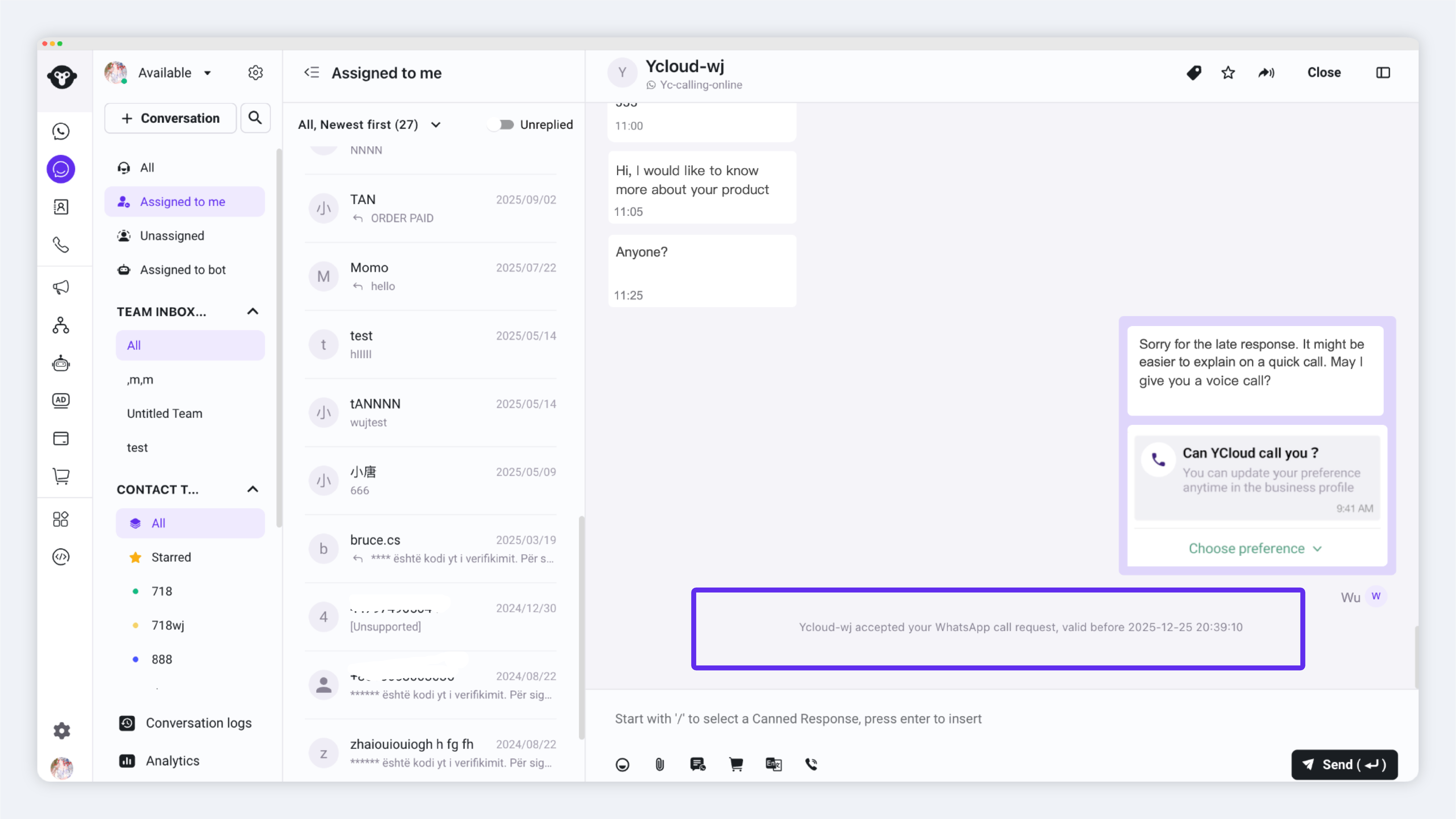
当用户同意后,你将收到一条系统消息提醒。
### 3. 外呼
获得授权后即可再次点击此按钮发起语音外呼
## 三、查看通话记录
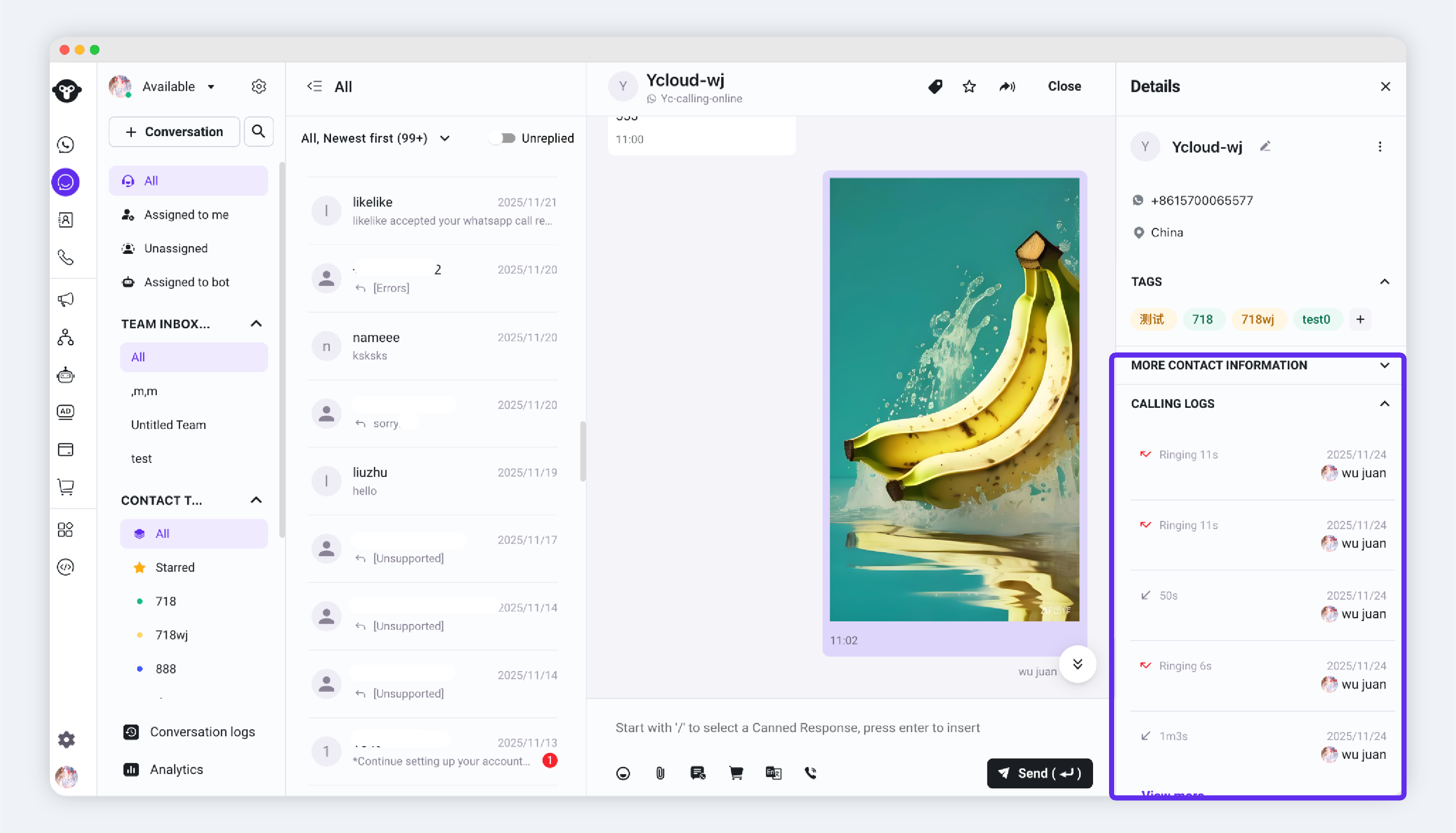
打开右侧通话记录板块可看到详细的通话记录。
---
# Agent Instructions
This documentation is published with GitBook. GitBook is the documentation platform designed so that both humans and AI agents can read, navigate, and reason over technical content effectively. Learn more at gitbook.com.
## Querying This Documentation
If you need additional information that is not directly available in this page, you can query the documentation dynamically by asking a question.
Perform an HTTP GET request on the current page URL with the `ask` query parameter, and the optional `goal` query parameter:
```
GET https://helpdocs.ycloud.com/help-center/zh/inbox/inbox-calling.md?ask=&goal=
```
`ask` is the immediate question: it should be specific, self-contained, and written in natural language.
`goal` is optional and describes the broader end goal you are ultimately trying to accomplish on behalf of the user. GitBook uses it to tailor the answer towards what is most useful for that goal.
The response will contain a direct answer to the question and relevant excerpts and sources from the documentation.
Use this mechanism when the answer is not explicitly present in the current page, you need clarification or additional context, or you want to retrieve related documentation sections.