> For the complete documentation index, see [llms.txt](https://helpdocs.ycloud.com/help-center/llms.txt). Markdown versions of documentation pages are available by appending `.md` to page URLs; this page is available as [Markdown](https://helpdocs.ycloud.com/help-center/zh/developer/webhook.md).
# Webhook
{% hint style="info" %}
您可以在开发者文档中找到更专业的集成指南:[开发者文档 - Webhook集成指南](https://docs.ycloud.com/v2.0.1/reference/webhook-%E9%9B%86%E6%88%90%E6%8C%87%E5%8D%97)
{% endhint %}
### 什么是 Webhook
Webhook 是一种 **事件驱动的 HTTP 回调机制**。当YCloud系统中发生某个事件时,会通过 HTTPS 请求,将事件数据主动推送到预先配置的 URL(即 Webhook 地址),而无需频繁轮询接口。
### 创建 Webhook
#### 1. 添加Webhook端点
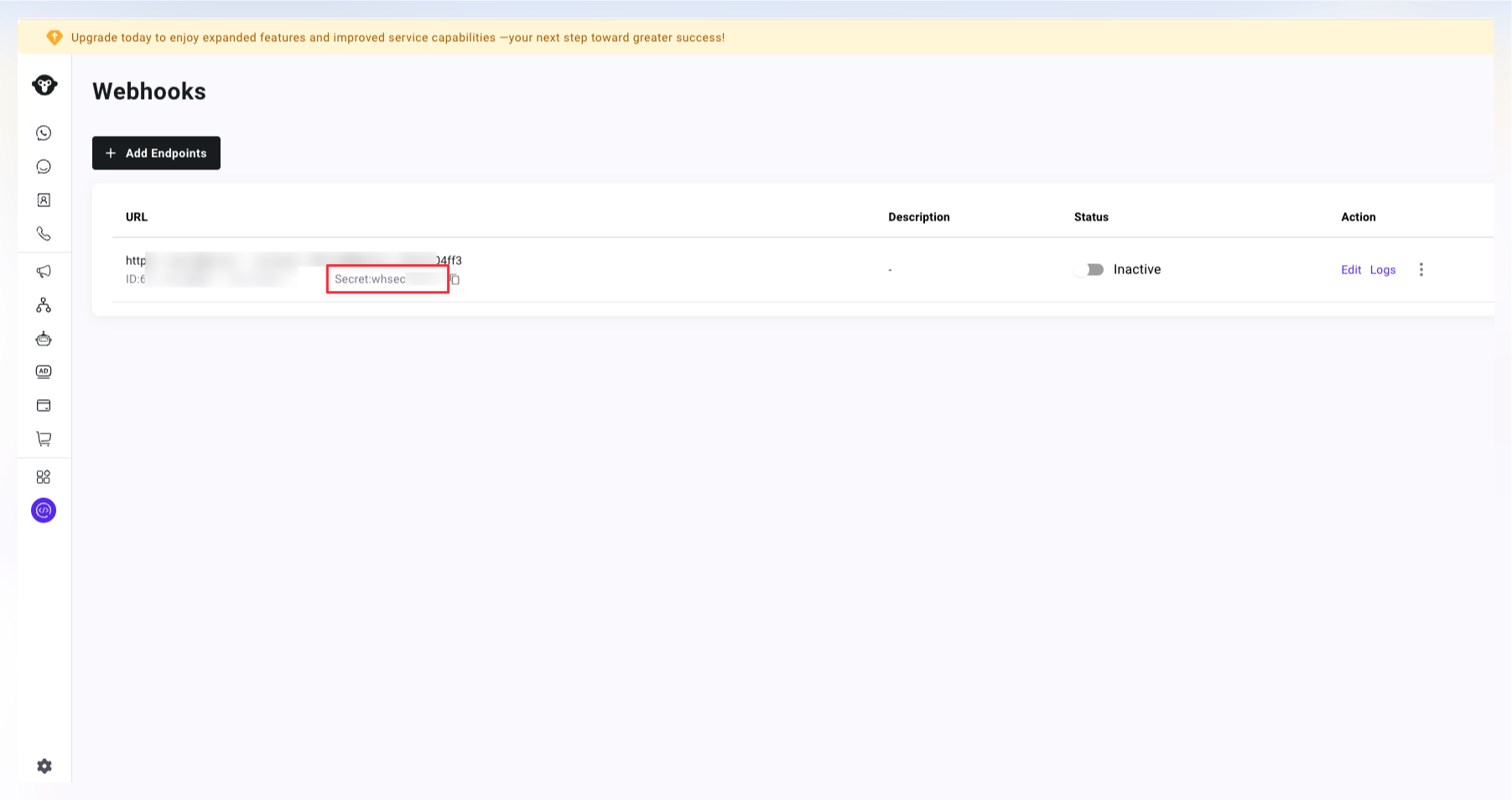
登陆YCloud后台,在 Developer - Webhooks中点击Add Endpoints 创建Webhook端点。
#### 2. 输入端点地址,监听相关事件。
YCloud提供关于 WhatsaApp, SMS, Contact, Email等不同的事件选择。
{% hint style="info" %}
您可以在此处找到所有事件的相关载荷:[Webhook 事件载荷](https://docs.ycloud.com/reference/webhook-events-payloads)
{% endhint %}
#### 3. 验证 Webhook签名(可选)
{% hint style="info" %}
**始终验证签名**以确保请求来自 YCloud 且未被篡改。
{% endhint %}
**签名格式:**
```js
YCloud-Signature: t={timestamp},s={signature}
```
**验证算法:**
1. 从**请求头**中提取时间戳(`t`)和签名(`s`)(时间戳是以秒为单位的 Unix 时间戳)
2. 构造**签名载荷**`signed_payload`:`{timestamp}.{request_body}`
3. 计算签名,算法 HMAC-SHA256:`HMAC-SHA256(signed_payload, secret)`
4. 将计算出的签名与接收到的签名进行比较
#### 4. 响应 Webhook
1. **返回 `2xx` 状态码**(例如 `200`、`201`、`204`)
* 任何非 2xx 响应都会触发重试
2. **快速响应**(建议在 6 秒内)
* 快速响应可提高您的 Webhook 优先级
* 慢速响应(>10 秒)可能会被降低优先级
3. **异步处理**(推荐)
* **立即返回 `200 OK`**
* 在后台作业/队列中处理事件
### 错误处理
**重试机制:**
如果您的服务返回非 2xx 状态码或未响应,YCloud 将自动重试:
* **重试计划:** 10秒 → 30秒 → 5分钟 → 30分钟 → 1小时 → 2小时 → 2小时
* **最大重试次数:** 7 次
* **7 次失败后:** 该事件不再重试
**URL 暂停:**
为了保护系统资源,频繁失败的 URL 将被临时暂停:
* **触发条件:** 每分钟 200 次失败 或 每分钟累计失败时间 10 分钟
* **暂停时长:** 3 分钟
* **暂停期间:** 不会发送 Webhook 请求
* **暂停后:** 自动恢复
---
# Agent Instructions
This documentation is published with GitBook. GitBook is the documentation platform designed so that both humans and AI agents can read, navigate, and reason over technical content effectively. Learn more at gitbook.com.
## Querying This Documentation
If you need additional information that is not directly available in this page, you can query the documentation dynamically by asking a question.
Perform an HTTP GET request on the current page URL with the `ask` query parameter, and the optional `goal` query parameter:
```
GET https://helpdocs.ycloud.com/help-center/zh/developer/webhook.md?ask=&goal=
```
`ask` is the immediate question: it should be specific, self-contained, and written in natural language.
`goal` is optional and describes the broader end goal you are ultimately trying to accomplish on behalf of the user. GitBook uses it to tailor the answer towards what is most useful for that goal.
The response will contain a direct answer to the question and relevant excerpts and sources from the documentation.
Use this mechanism when the answer is not explicitly present in the current page, you need clarification or additional context, or you want to retrieve related documentation sections.