> For the complete documentation index, see [llms.txt](https://helpdocs.ycloud.com/help-center/llms.txt). Markdown versions of documentation pages are available by appending `.md` to page URLs; this page is available as [Markdown](https://helpdocs.ycloud.com/help-center/zh/campaign/zhui-zong-an-niu-dian-ji.md).
# 追踪按钮点击
{% hint style="info" %}
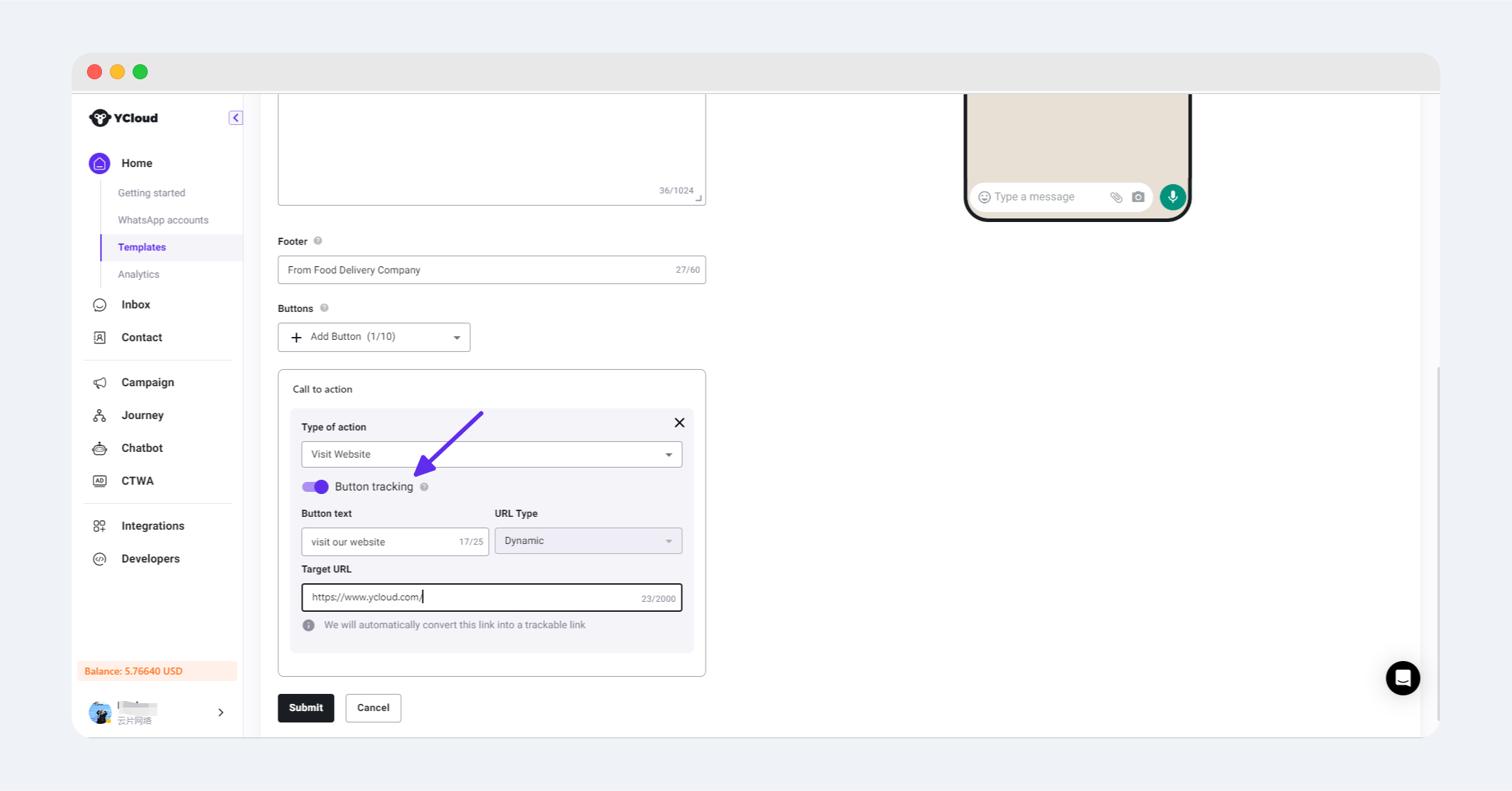
企业在申请通知和营销模板时,可以打开Visit Website按钮的点击追踪功能;该功能支持企业在完成Campaign后,在对应分析页面查看按钮的点击数据;能够帮助企业进行内部数据追踪和分析。
{% endhint %}
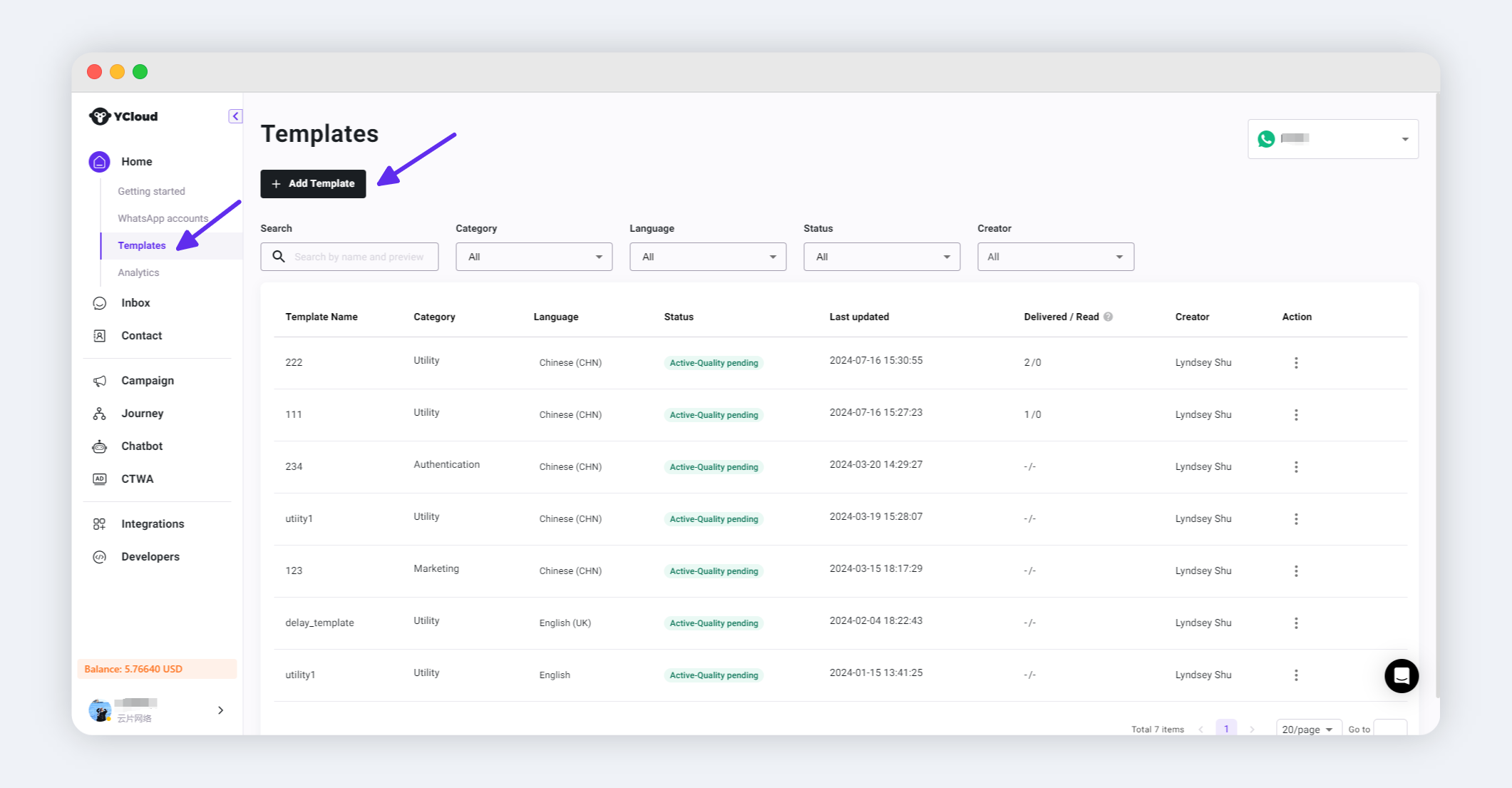
## 步骤1:创建模板,打开按钮的点击追踪功能
## 步骤2:发起Campaign
关于如何发起Campaign,通知类型请点击[参考文档](https://helpdocs.ycloud.com/help-center/zh/campaign/pages/SSeJF20TatWlQvsXAxe5#id-2.-fa-song-tong-zhi-xiao-xi),营销类型请点击[参考文档](/help-center/zh/campaign/chuang-jian-whatsapp-ying-xiao-huo-dong.md#bu-zhou-2-fa-song-ying-xiao-xiao-xi)
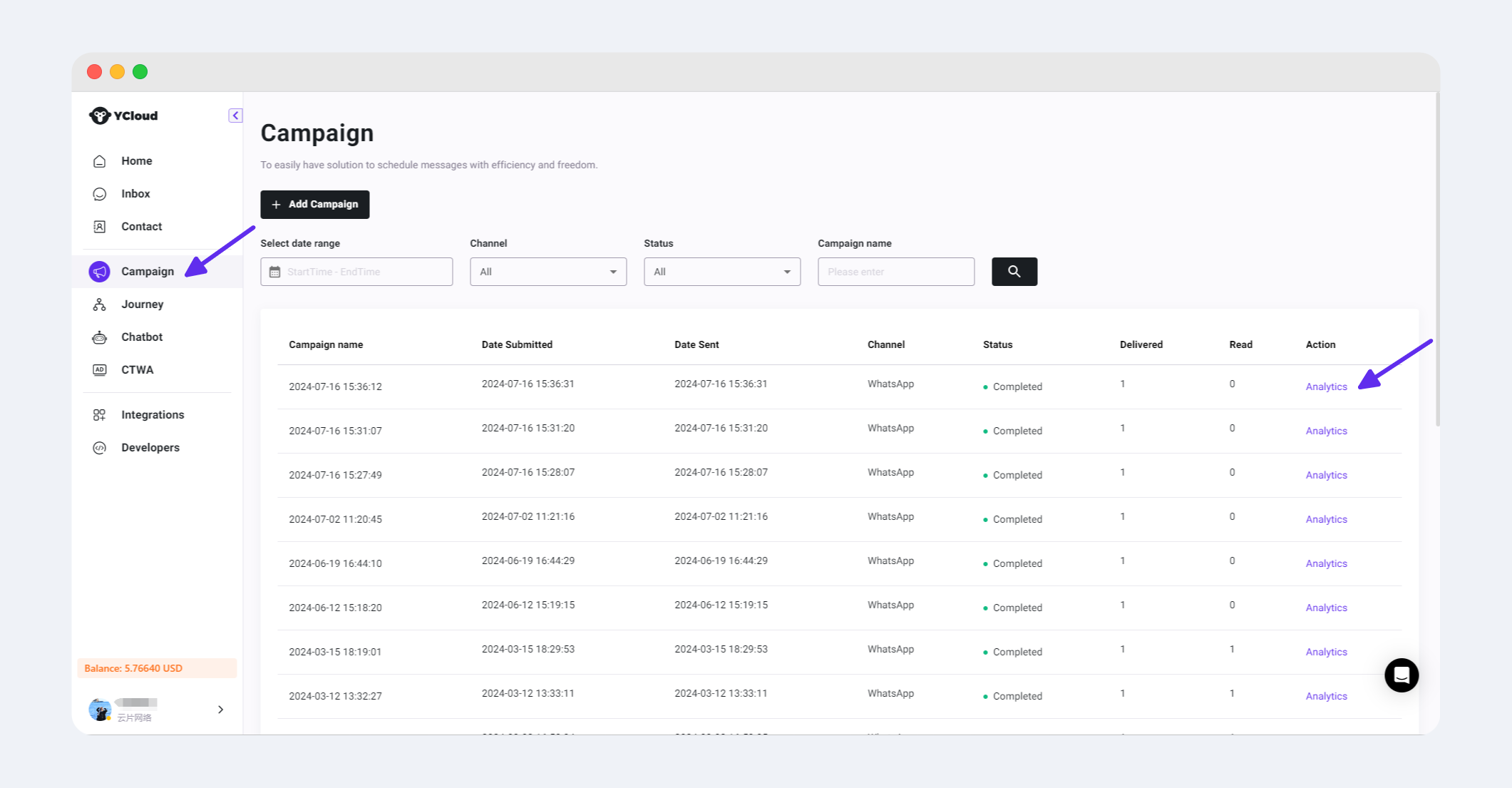
## 步骤3:查看按钮点击数据
---
# Agent Instructions
This documentation is published with GitBook. GitBook is the documentation platform designed so that both humans and AI agents can read, navigate, and reason over technical content effectively. Learn more at gitbook.com.
## Querying This Documentation
If you need additional information that is not directly available in this page, you can query the documentation dynamically by asking a question.
Perform an HTTP GET request on the current page URL with the `ask` query parameter, and the optional `goal` query parameter:
```
GET https://helpdocs.ycloud.com/help-center/zh/campaign/zhui-zong-an-niu-dian-ji.md?ask=&goal=
```
`ask` is the immediate question: it should be specific, self-contained, and written in natural language.
`goal` is optional and describes the broader end goal you are ultimately trying to accomplish on behalf of the user. GitBook uses it to tailor the answer towards what is most useful for that goal.
The response will contain a direct answer to the question and relevant excerpts and sources from the documentation.
Use this mechanism when the answer is not explicitly present in the current page, you need clarification or additional context, or you want to retrieve related documentation sections.