> For the complete documentation index, see [llms.txt](https://helpdocs.ycloud.com/help-center/llms.txt). Markdown versions of documentation pages are available by appending `.md` to page URLs; this page is available as [Markdown](https://helpdocs.ycloud.com/help-center/developer/webhook.md).
# Webhook
{% hint style="info" %}
You may find more specialised integration guidance in the developer documentation: Developer Documentation - [Webhook Integration Guide](https://docs.ycloud.com/reference/webhook-integration-guide)
{% endhint %}
## What is a Webhook
A webhook is an **event-driven HTTP callback mechanism**. When a specific event occurs within the YCloud system, it proactively pushes the event data via an HTTPS request to a pre-configured URL (the webhook address), thereby eliminating the need for frequent interface polling.
## Create a Webhook
### 1. Add a Webhook endpoint.
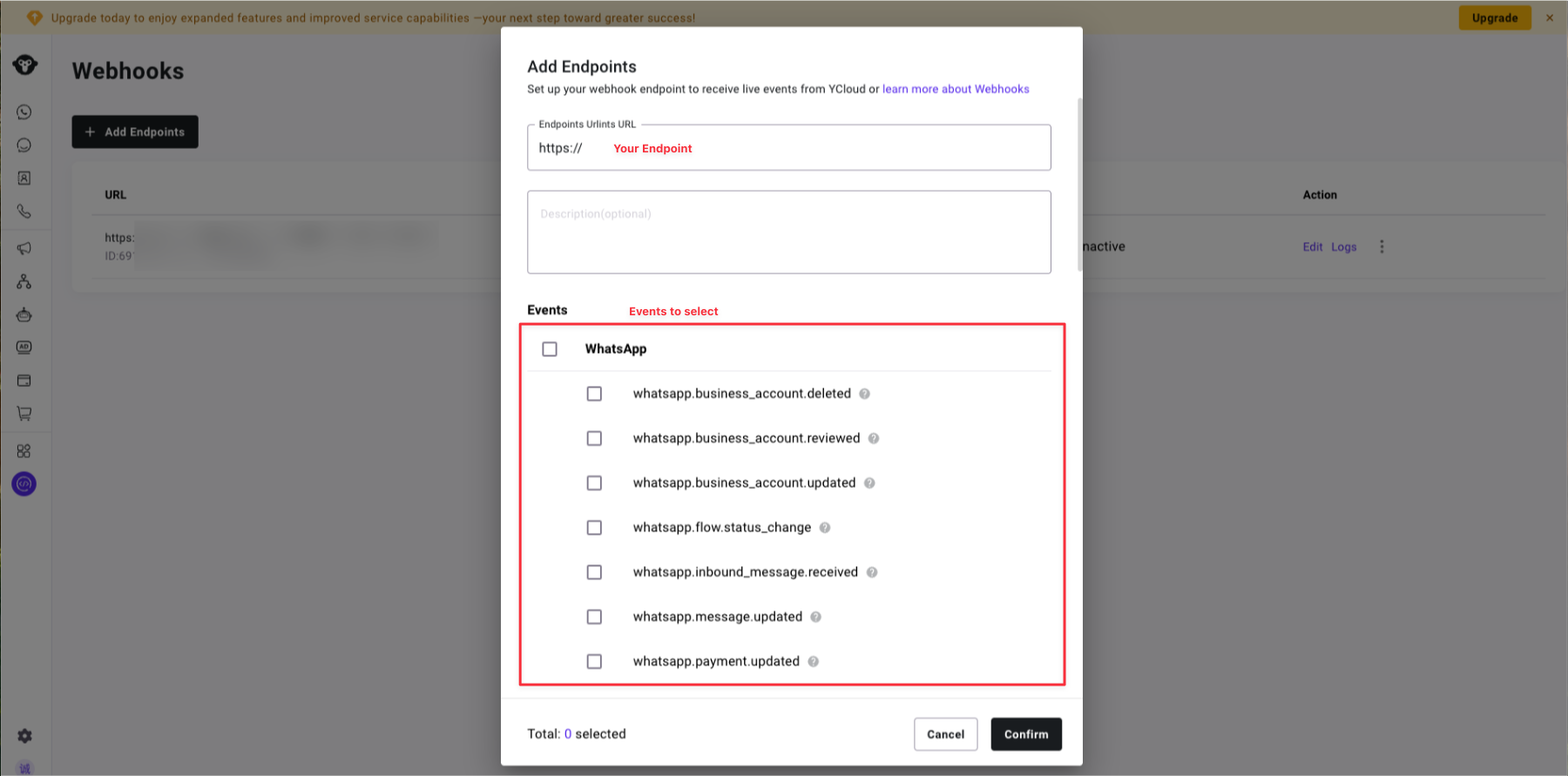
Log in to the **YCloud dashboard**, navigate to Developer > Webhooks, and click Add Endpoints to create a webhook endpoint.
### 2. Enter the endpoint address to monitor relevant events.
YCloud offers various event options for WhatsApp, SMS, Contact, Email, and more.
{% hint style="info" %}
You may find all relevant payloads for the events here: [Webhook Payload](https://docs.ycloud.com/reference/webhook-events-payloads)
{% endhint %}
### 3. Verify Webhook Signature (Optional)
{% hint style="info" %}
Always verify the signature to ensure the request originates from YCloud and has not been tampered with.
{% endhint %}
#### Signature format:
```
YCloud-Signature: t={timestamp},s={signature}
```
#### Verification algorithm:
1. Extract the timestamp (t) and signature (s) from the request header (The timestamp is a Unix timestamp in seconds) .
2. Construct the signed payload: signed\_payload: `{timestamp}.{request_body}.`
3. Compute the signature using the HMAC-SHA256 algorithm:
```js
HMAC-SHA256(signed_payload, secret)
```
4. Compare the computed signature with the received signature.
### 4. Respond Webhook
1. **Return a 2xx status code** (e.g. 200, 201, 204)
* Any non-2xx response will trigger a retry.
2. **Fast response** (recommended within 6 seconds)
* Fast responses increase your webhook priority.
* Slow responses (>10 seconds) may be deprioritised.
3. **Asynchronous processing** (recommended)
* **Immediately** return 200 OK.
* Process events in background jobs/queues.
## Error handling
### Retry mechanism:
Should your service return a non-2xx status code or fail to respond, YCloud will automatically retry:
* **Retry schedule**: 10 seconds → 30 seconds → 5 minutes → 30 minutes → 1 hour → 2 hours → 2 hours.
* **Maximum retry count**: 7 times.
* **After 7 failures**: The event will no longer be retried.
### URL suspension:
To safeguard system resources, frequently failing URLs will be temporarily suspended:
* **Trigger conditions**: 200 failures per minute or cumulative failure time exceeding 10 minutes per minute
* **Suspension duration**: 3 minutes
* **During suspension**: No webhook requests will be sent
* **After suspension**: Automatic restoration
---
# Agent Instructions
This documentation is published with GitBook. GitBook is the documentation platform designed so that both humans and AI agents can read, navigate, and reason over technical content effectively. Learn more at gitbook.com.
## Querying This Documentation
If you need additional information that is not directly available in this page, you can query the documentation dynamically by asking a question.
Perform an HTTP GET request on the current page URL with the `ask` query parameter, and the optional `goal` query parameter:
```
GET https://helpdocs.ycloud.com/help-center/developer/webhook.md?ask=&goal=
```
`ask` is the immediate question: it should be specific, self-contained, and written in natural language.
`goal` is optional and describes the broader end goal you are ultimately trying to accomplish on behalf of the user. GitBook uses it to tailor the answer towards what is most useful for that goal.
The response will contain a direct answer to the question and relevant excerpts and sources from the documentation.
Use this mechanism when the answer is not explicitly present in the current page, you need clarification or additional context, or you want to retrieve related documentation sections.